
WINDROSE DATABASE
Windrose Companion
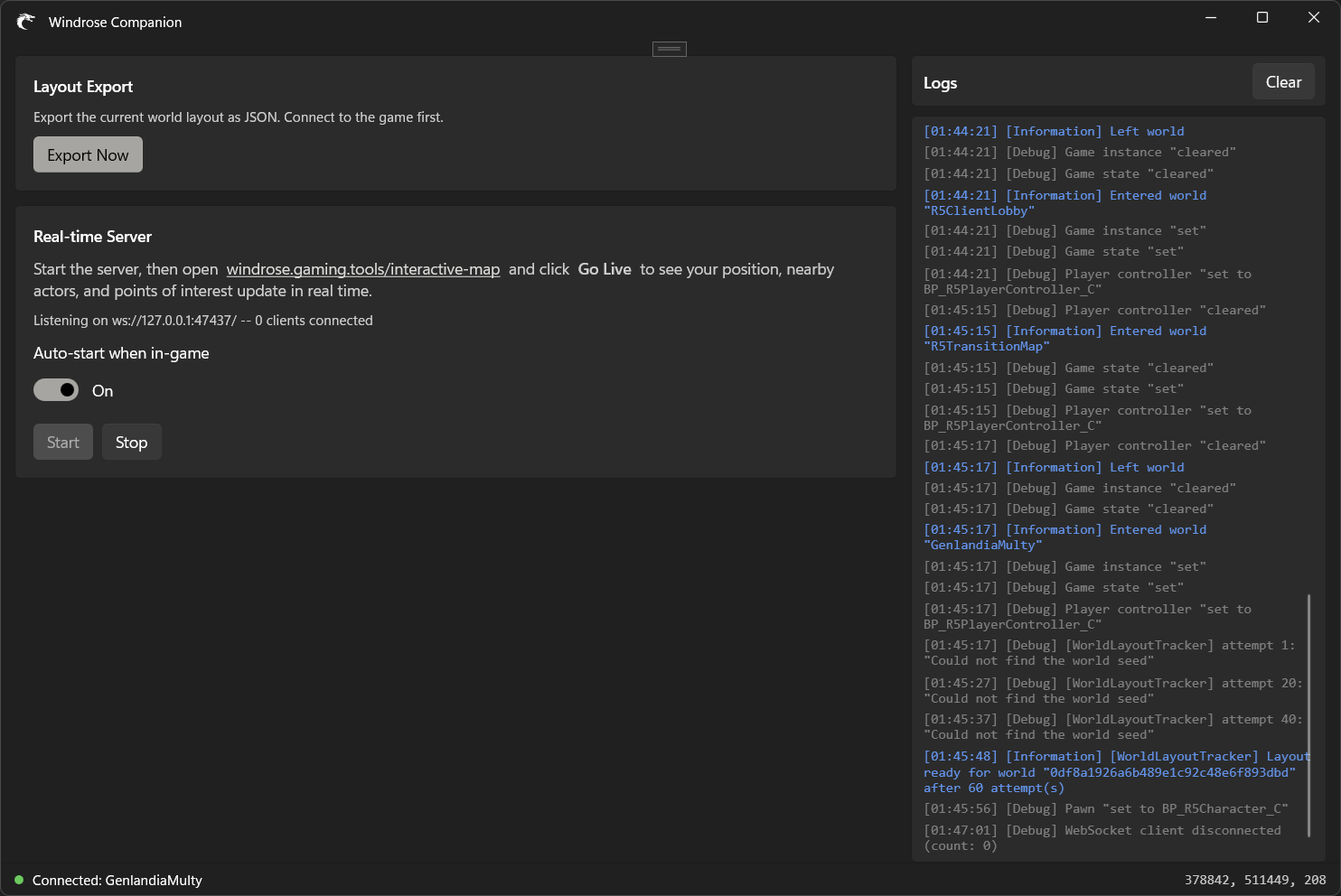
A lightweight desktop app that connects to your running copy of Windrose and streams your world layout, position, and nearby actors to the interactive map on this site. Runs entirely on your PC — all data stays on your machine over a local WebSocket.
Download
Windows 10 / 11, 64-bit. Run the installer — the companion auto-updates after that.
How it works
- Start Windrose, load into your world.
- Launch the Companion app — it detects the game and starts a local WebSocket server on
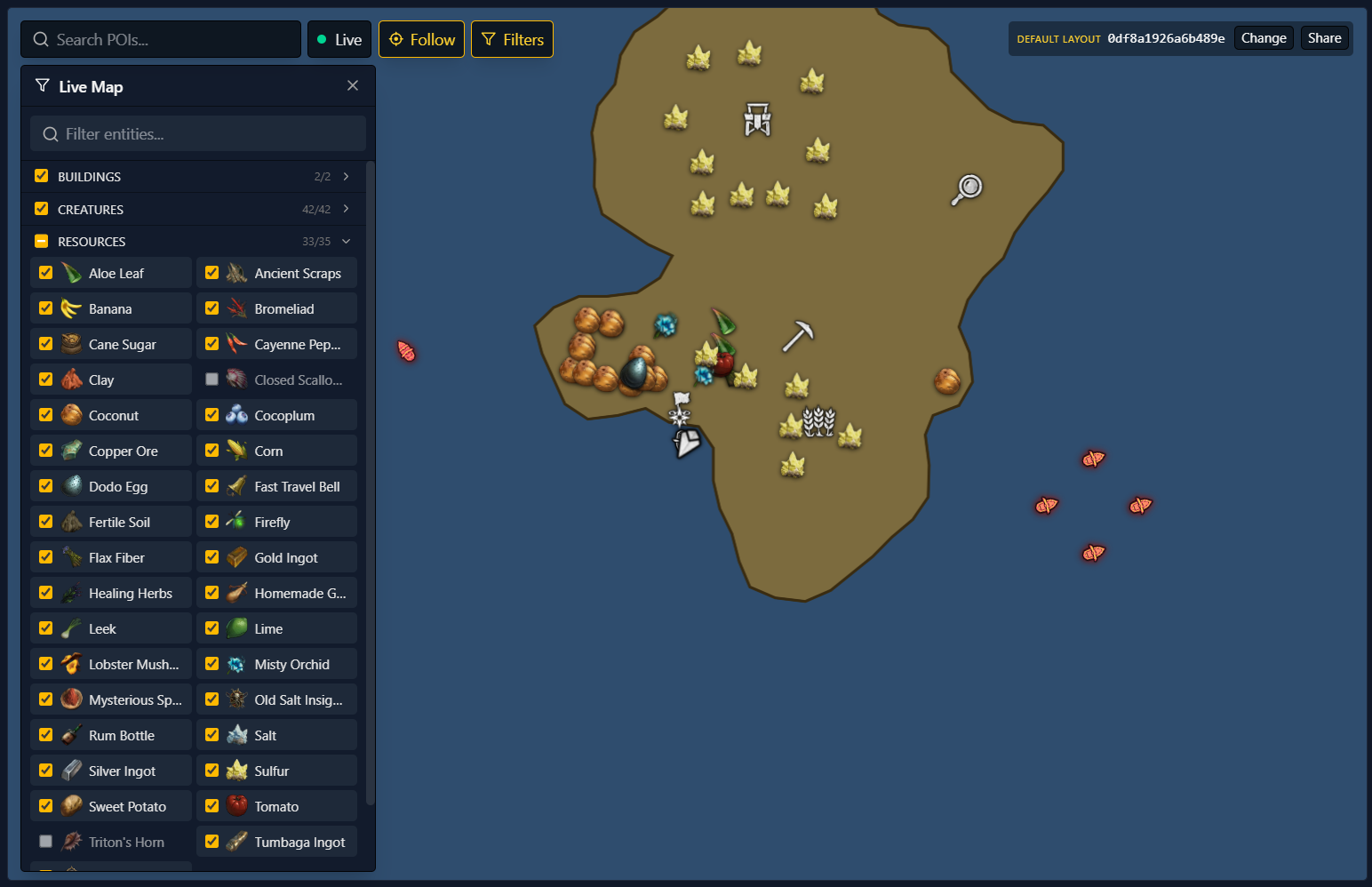
ws://127.0.0.1:47437. - Open the interactive map and click Go Live. Your character, ships, fast-travel bells, and other world actors appear live on the map with the correct world layout already applied.
What it reads
- Your current world id + archipelago layout (so the correct map is shown).
- Your player position + facing.
- Positions of nearby actors: mobs, ships, fast-travel bells, building centres, resource nodes, pickups.
The companion app never sends data off your machine. The only network activity is the local-only WebSocket on 127.0.0.1 that your browser tab connects to.
Manual layout export
Prefer not to keep the companion running? It can also export your current world layout as a JSON file which you can upload manually on the interactive map. Use the "Export Now" button on the companion's main window.
https://windrose.gaming.tools/de/companion-app